Design Software Brands
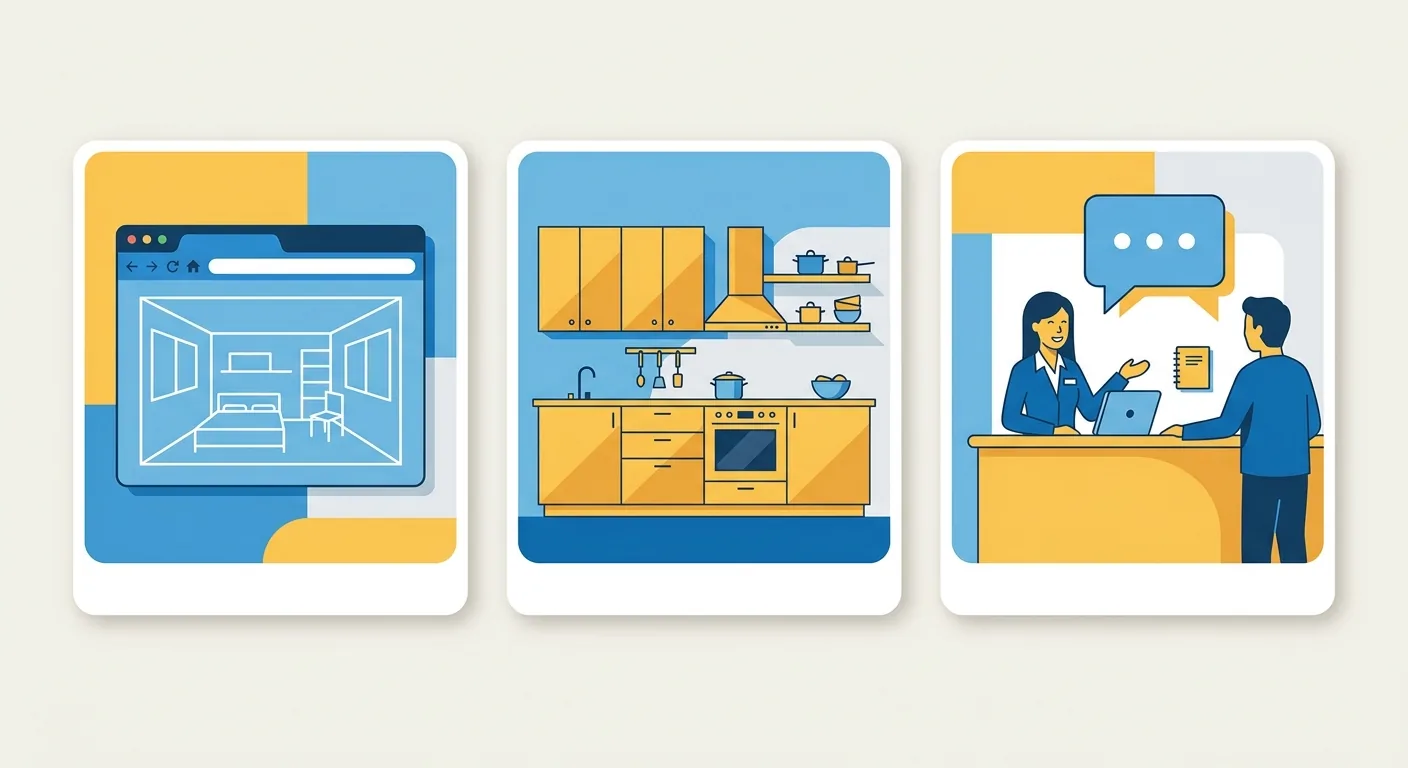
Want to lay out cabinets and kitchen plans at home before heading to IKEA, but not sure which tool to use, whether it costs money, or whether you need to visit a store first?
IKEA's home planning actually comes in three forms, and a lot of people mix up "planning it myself online" with "getting help planning in-store" right from the start. This article clears it all up in one go: how to use the IKEA Planner online software, where kitchen planning lives, whether the in-store service costs money, how to read forum reviews, and how to work around its key limitation — being locked into IKEA's own catalog.
Caption: IKEA's three forms of home planning — (1) plan it yourself with the online Planner (2) kitchen/storage system planning (3) book in-store planning assistance
Key takeaway: According to a 2026 Mordor Intelligence report, the interior design software market is estimated at USD 7.59 billion in 2026, with a projected compound annual growth rate of 11.12% from 2026 to 2031 (Mordor Intelligence, 2026). Free planning tools tied to a single brand catalog, like IKEA Planner, are exactly what capture budget-conscious homeowners who want to simulate before they buy.
IKEA's home planning comes in three forms: the online IKEA Planner software, kitchen and storage-system planning (like the Kitchen Planner and PAX wardrobe planner), and in-store or by-appointment planning services; the online tools all run right in your browser with no download and are free to use (IKEA, 2026). This addresses navigational searches like "IKEA planning software" and "IKEA home planning."
Mixing up these three forms is where many people take the wrong first step.
The first is the online Planner, which you use yourself in a browser — free, no download. The second is planners for specific product categories — modular furniture like kitchens, PAX wardrobes, and BESTÅ TV units each have their own dedicated planning tool. The third is an in-store or by-appointment planning service, where IKEA staff help you put a plan together.
The difference is who does the work. The first two are "you do it yourself"; the third is "someone does it for you." Which one do you actually need? Figure that out before you start.
IKEA Planner's positioning is clear: it's tied to IKEA's own catalog, it's free, and it suits people who are buying exclusively IKEA products. It lets you lay out your space before you buy, confirming how cabinets and furniture look once placed and whether the dimensions work.
Its benefit is seamless integration with IKEA products — finish your layout and you can save it and come back to edit it anytime. The tradeoff is that you can only place IKEA items, which we'll get into in more detail below.
The kitchen is the most complete piece among IKEA's planning tools. The Kitchen Planner lets you lay out countertops, cabinets, and appliances to see how the whole layout comes together. Note that IKEA's kitchen planner is designed for desktop and laptop use and doesn't support mobile phones (IKEA, 2026).
Beyond the kitchen, bedrooms, living rooms, bathrooms, dining rooms, offices, and hallways each have their own planner too. Most room planners work on mobile, with the kitchen planner being the one exception that requires a computer. This small difference is something many people only discover when they're actually about to use it.
The IKEA Planner workflow goes like this: enter the corresponding online planner → start from scratch, choosing a room shape first → simulate furniture placement using the IKEA catalog → save your plan; logging in with an IKEA account lets you save your plan and come back to edit it anytime (IKEA, 2026). This addresses the operational need behind searches like "ikea furniture simulation."
It sounds intuitive, but there are a few things worth knowing upfront.
Start at the planning tools page on IKEA's official site and choose the space you want (kitchen, closet, or a general room). For a kitchen, you choose "Design from scratch," and the first step is choosing the room shape and setting the dimensions, doors, and windows before moving on to cabinets and appliances.
Pick a room shape close to your actual home as your base. This step's room dimensions should match reality as closely as possible — otherwise no matter how completely you fill it in, you're filling in the wrong space.
Once your space is built, drag furniture in from the IKEA catalog and arrange it. Cabinets, sofas, dining tables, and appliances are all in the catalog — select one, place it, and adjust its orientation and size. This is the core of "furniture simulation."
We actually laid out a kitchen with it once, and what stood out most was how precisely it calculates IKEA's modular dimensions — you can see at a glance whether cabinets will fit together. But that's limited strictly to IKEA modules; that non-IKEA dining table you already have at home won't fit in here.
Once you're done arranging, log in with your IKEA account to save — your plan stays in your account so you can come back and edit it anytime (IKEA, 2026).
If you need professional help, you can also book an in-store planning appointment from here. This is the bridge between "doing it yourself" and "having someone do it for you."
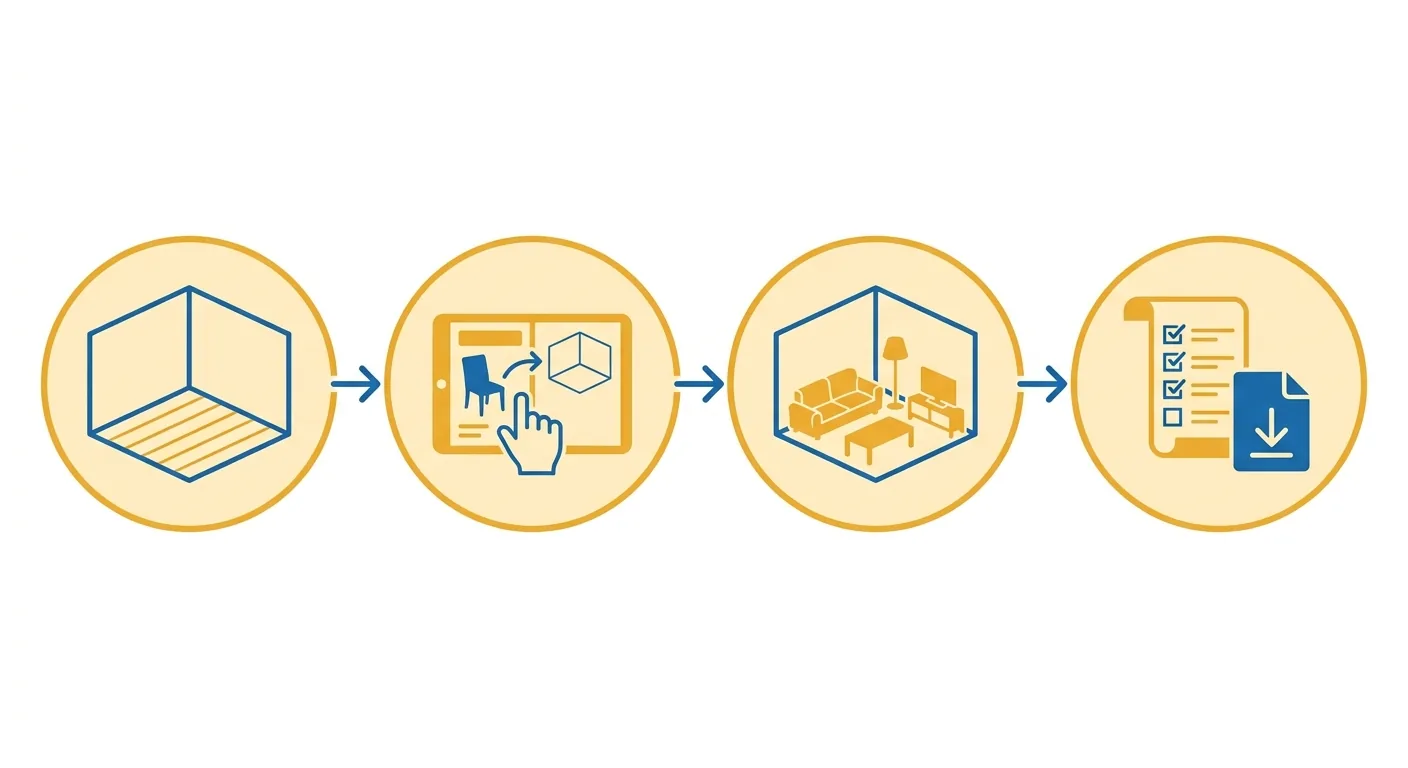
Caption: IKEA Planner's four steps (1) build your space (2) place furniture from the catalog (3) simulate and adjust the layout (4) save your plan
The online IKEA Planner is completely free and requires no download — open your browser, log in, and you're set (IKEA, 2026). Whether the in-store or by-appointment planning service charges a fee, and how much, depends on the store and the type of service — that part should be verified against official announcements from your local IKEA rather than assuming an unverified figure from the internet. This addresses questions like "ikea planning cost."
In one sentence: planning it yourself is free; having someone plan it for you depends on the service.
Yes, and no software download is required. This is one of IKEA Planner's biggest advantages — zero cost, zero installation, just open a webpage and start laying out your cabinets and kitchen. For anyone who just wants to try a simulation, there's no barrier to entry at all.
Saving requires logging in to an IKEA account, and both creating an account and joining IKEA Family are free. So the entire online planning process really doesn't cost anything.
The in-store planning service is a different matter entirely. Whether this kind of "have IKEA staff help you plan" service charges a fee, and how much, varies by country, store, and scope of service. Some basic consultations are free, while more complete planning or installation assistance may be billed separately.
The right move is to check your local IKEA's official page, or ask the store directly. We won't give a number here that could go stale or vary by region — for anything cost-related, official announcements are the safest source.
Keep the two paths separate and there's no confusion. Planning it yourself online = free; having someone plan it in-store = depends on the service. Most people searching for "IKEA planning cost" want to confirm one thing: does laying it out myself at home cost money? The answer is no.
What usually costs money is "installation," "on-site measurement," and "complete design assistance" — these value-added services, not the online planning tool itself. Figure out which one you actually need so you're not worrying over nothing.
Based on the general tone of public discussions on PTT, Dcard, and similar forums, common praise for IKEA home planning includes being free and intuitive; common complaints include being restricted to IKEA furniture only, the kitchen planner not supporting mobile, and the tool feeling clunky with complex layouts. This is a summary of general sentiment, not a precise statistic — actual experience varies by person. This addresses queries like "ikea home planning reviews" and "ikea home planning forum."
Notice something? The single most common complaint is exactly "being restricted to IKEA furniture only."
Summarizing the common themes from public discussions: people who like it value being free, quick to pick up, seamlessly connected to IKEA products, and able to order directly. People who don't like it tend to get stuck on being limited to the IKEA catalog, needing a computer for kitchen planning, and it feeling insufficiently flexible for complex layouts.
Our own hands-on experience lines up with that too: it works great for "buying exclusively IKEA, just want to lay it out first" scenarios, but the moment you want to mix in another brand, it can't help you.
"Is IKEA furniture good" is another common question. The general consensus in public reviews is roughly: simple styles, affordable prices, and decent value for money, but most pieces require self-assembly, and durability depends on the product line and how hard you use it — entry-level lines suit tight budgets or short-term rentals, while higher-tier lines tend to last longer. This is a general sentiment summary, not a guarantee.
One honest take: IKEA is great for "furnishing a home quickly at a reasonable price." If you're after heirloom-level durability, you may want to look at other options.
The long-tail question of "is IKEA pet-friendly" also comes up. There's really no one-size-fits-all answer here — it depends on the material. Fabric and rattan are easy for cats to scratch or pets to chew, while easy-to-clean leather, metal, and solid wood hold up relatively well. When choosing furniture for a pet household, the priority is scratch-resistant, easy-to-clean materials — not which brand it is.
This also serves as a reminder: whether furniture holds up often comes down to dimensions and material more than brand. And whether the dimensions actually work, you won't know until you place it in your real layout.
IKEA Planner's biggest limitation is that it only works with furniture from IKEA's own catalog — no issue if you're buying exclusively IKEA, but a real dealbreaker if you want to mix in other brands. Roomfit fills exactly that gap: it's not tied to any brand, letting you place any piece of furniture at true 1:1 centimeter scale with automatic clearance labeling, and it's free to use with no download and collaborative editing.
If you already own furniture from other brands at home, this difference will feel very real.
Let's give credit where it's due first: IKEA Planner integrates very smoothly with IKEA products, calculates modular dimensions accurately, and saves your plan once you're done — a genuinely seamless flow. For people buying exclusively IKEA, the experience really is smooth.
But catalog lock-in cuts both ways. It only recognizes IKEA furniture — that non-IKEA sofa you have, the dining table you inherited, the bookshelf you bought elsewhere, none of it fits in here. Want to see what a new IKEA cabinet would look like next to your existing sofa from home? IKEA Planner can't do that.
Roomfit goes the opposite direction — any brand can be placed. Three objective differences:
Roomfit is best suited to anyone who "already owns furniture from different brands, or wants to mix IKEA with other brands." Use Roomfit first to place all your furniture — regardless of brand — into the layout at real dimensions, confirm the overall fit and that walkways work, then decide which IKEA pieces to buy.
These tools can work in relay: use Roomfit first to verify the overall layout, then bring the IKEA items into IKEA Planner to plan and order. For other online floor-plan tools, see the Floorplanner online floor-plan guide and the free, open-source Sweet Home 3D guide; for on-site measuring or rendering, the Magicplan and HomeByMe measuring guide and the Kujiale and Coohom cloud 3D guide are also worth checking out.
| Comparison Item | IKEA Planner | Roomfit |
|---|---|---|
| Furniture you can place | IKEA catalog only | Any brand |
| Core purpose | Simulate before buying IKEA | Get the true 1:1 fit right |
| Cost | Free | Core features free; advanced features use points |
| Installation | No download required | No download required |
| Walkway clearance | You have to judge yourself | Labeled automatically |
| Multi-user collaboration | Handled separately | Built-in collaborative editing |
The online IKEA Planner is completely free and requires no download — open your browser, log in, and you're set, and saving only requires logging in to a free IKEA account (IKEA, 2026). Value-added services like in-store planning, on-site measurement, or installation typically cost money and vary by store and region. If you're wondering whether laying it out yourself at home costs anything, it doesn't; services where someone helps you are billed per official announcements.
Yes. The workflow is entering the corresponding planner, starting from scratch (choosing a room shape first), dragging furniture from the IKEA catalog into place, then saving your plan (IKEA, 2026). For a kitchen, you first pick a room shape and set the dimensions, doors, and windows, then arrange cabinets and appliances. It calculates IKEA's modular dimensions very accurately, but you can only place IKEA's own furniture — non-IKEA furniture won't fit.
No. IKEA's kitchen planner is designed for desktop and laptop use, and officially it doesn't support mobile phones (IKEA, 2026). Most other room planners (bedroom, living room, bathroom, etc.) do work on mobile — the kitchen planner is the one exception that requires a computer. Many people only discover this when they're actually about to use it, so it's best to have a computer ready when planning a kitchen.
Based on the general tone of public discussions, common praise includes being free, intuitive, and integrating seamlessly with IKEA products; common complaints include being limited to IKEA furniture only, the kitchen planner not supporting mobile, and the tool feeling clunky with complex layouts. This is a summary of general sentiment, not a precise statistic, and actual experience varies by person. Overall, it works well for buying exclusively IKEA, but has real limits if you want to mix in other brands.
IKEA Planner can only place items from the IKEA catalog — mixing in other brands isn't possible. A brand-agnostic tool like Roomfit is a better fit here: any furniture can be placed at true 1:1 centimeter scale with automatically labeled walkway clearances, no download required, and collaborative editing. In practice, use Roomfit first to place furniture from all brands into your layout and confirm the overall fit, then bring the IKEA items into IKEA Planner to plan and order.
IKEA home planning comes in three forms: doing it yourself online, a category-specific planner, or booking in-store help. The online IKEA Planner is free, requires no download, and can simulate furniture placement — great for anyone buying exclusively IKEA. The kitchen planner requires a computer and doesn't support mobile, so plan ahead for that. As for cost, planning it yourself is free, while in-store planning services are billed per official announcements.
Its biggest limitation is being restricted to IKEA's own furniture. If you want to mix different brands, or already own furniture from elsewhere, use a brand-agnostic tool that places any furniture at true 1:1 scale — like Roomfit — to get the overall layout right and confirm the walkways work, then bring the IKEA items into IKEA Planner to order. Get the dimensions right first, then decide what to buy — get the order right, and your home will fit together just right.
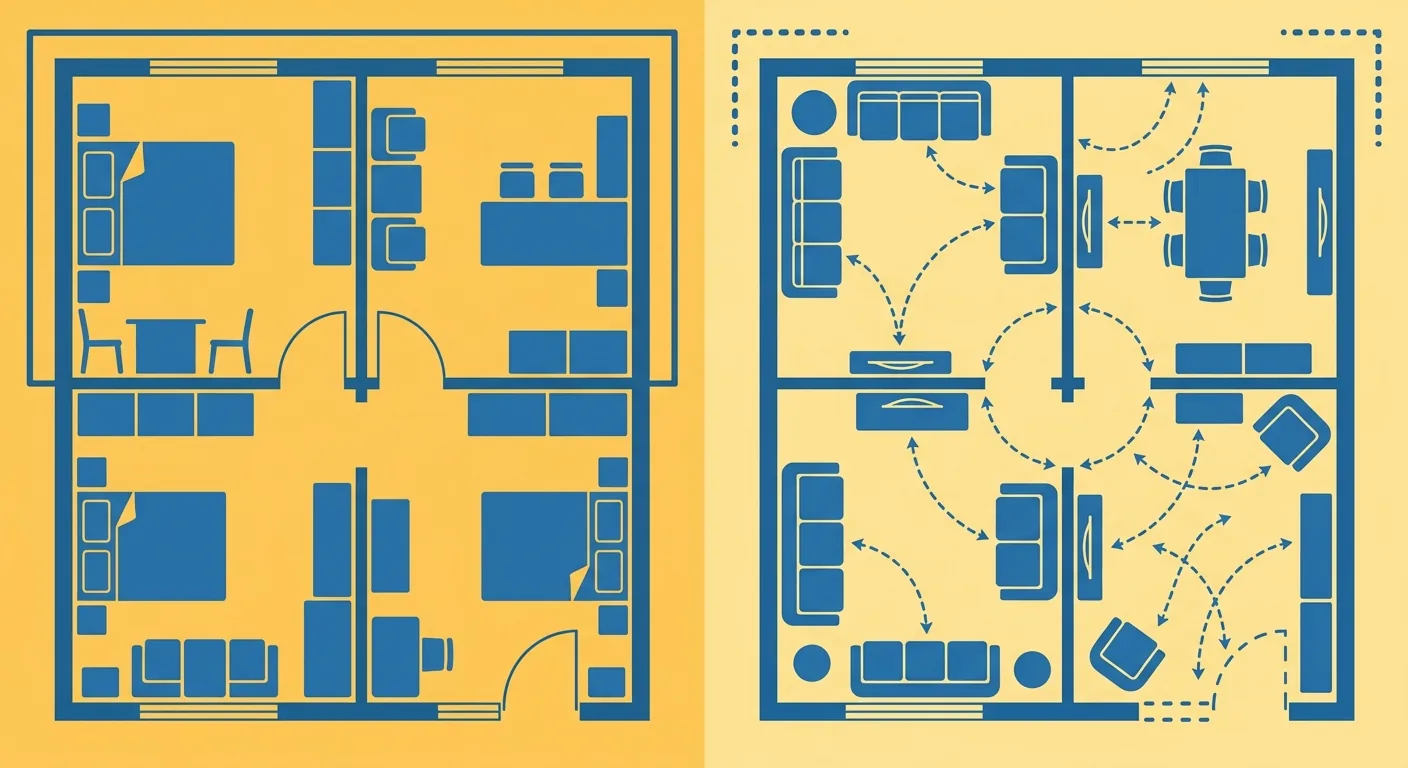
Caption: IKEA Planner only recognizes its own catalog; Roomfit isn't tied to any brand, letting any furniture be placed at true scale in the same layout
Arrange furniture in your space at true 1:1 scale with Roomfit and see exactly how much walkway is left — no install, no sign-up.
Start with Roomfit →